
Inspect GOOSE identity, sequence, timing and payload context; use bounded SMV capture where the workflow applies.
GOOSE analysis →MMS file services · relay fault records · COMTRADE retrieval
Retrieve protection-relay fault records inside the correct IED context.
ARSAS uses IEC 61850 MMS file services to probe available directories, browse bounded paths and download disturbance-record files while preserving endpoint ownership, transfer progress and negative service evidence.
Evidence contract
Keep the observation together with the context that makes it reviewable.
ARSAS treats engineering data as evidence, not just screen output. The exact fields depend on the workflow, but the source and acquisition context should remain visible whenever they exist.
What?Signal, event, packet, file, model or command result
Which IED?Device identity, endpoint and project context
When?IED time, protocol time or ARSAS receive/capture time when available
Quality / state?IEC quality, event state, sequence state or result status when the source provides it
How acquired?Discovery, MMS read, Reporting, GOOSE/SMV capture, file service or control workflow
No invented certainty.Not every workflow exposes every field. ARSAS should preserve what is actually available, identify the acquisition path and keep missing context explicit rather than synthesizing proof.Review field interoperability evidence →Review engineering boundaries →
Investigation workflow
When something happens, follow the evidence from network behavior to the disturbance record.
ARSAS keeps these views connected by IED and engineering context. Start with the clue you have; move deeper only when the next source can answer a new question.
Keep signal reference, state, quality, IED time, receive context and acquisition source together.
Event evidence →Stay inside the originating IED session, scan remote files and preserve completeness and transfer state.
Retrieve records →Open the record in ARSAS and inspect synchronized analog/digital evidence, trigger position and protection channels.
See native analysis →Compare the available times and states across sources while keeping clock, source and acquisition differences visible.
Review evidence boundaries →Correlation is not automatic causation proof.GOOSE capture time, IED event time, Reporting receive time and COMTRADE time can come from different clocks and acquisition paths. ARSAS helps keep them reviewable; protection acceptance still requires the approved test method and independent engineering checks.
Service discoveryProbe whether the connected IED exposes usable MMS file services
Bounded browsingNavigate approved paths without uncontrolled recursive traversal
Transfer evidenceProgress, cancellation, timeout and negative responses remain visible
Record contextGroup COMTRADE-related files around the originating IED and event
Fault-record workflow
Move from a relay event to a complete downloadable record set.
Different relays can expose different directory layouts and naming conventions. ARSAS keeps discovery transparent instead of assuming that every device stores files in the same location.
Connect to the intended relay
Use the existing per-IED MMS association so file operations remain attached to the correct endpoint and project context.
Probe and browse available paths
Inspect the directories exposed by the IED with explicit boundaries, cancellation and visible service failures.
Identify the relevant disturbance record
Review filenames, timestamps and companion extensions such as CFG, DAT, HDR and INF without hiding incomplete sets.
Download and retain transfer evidence
Preserve source path, destination, progress, retry boundary and negative result details for later engineering review.
Treat a fault record as a set—not just one downloaded file.
A useful disturbance record may include configuration, sampled data, header and information companions. ARSAS provides the foundation to recognize those relationships while keeping missing or unexpected files visible.
- CFG configuration file
- DAT sampled data file
- HDR descriptive header when available
- INF or approved companion information
Negative evidence is part of the result.
An empty directory, access rejection, timeout, unsupported service or partial record set should not be presented as success. ARSAS keeps those outcomes attributable to the originating relay.
- Unsupported service remains explicit
- Timeout and cancellation remain distinguishable
- Partial downloads are not silently accepted
- Vendor-specific layouts are not treated as universal
Connected diagnostics
Keep file-service failures beside the communication evidence.
File transfer is not isolated from association state, service responses and per-IED diagnostics.
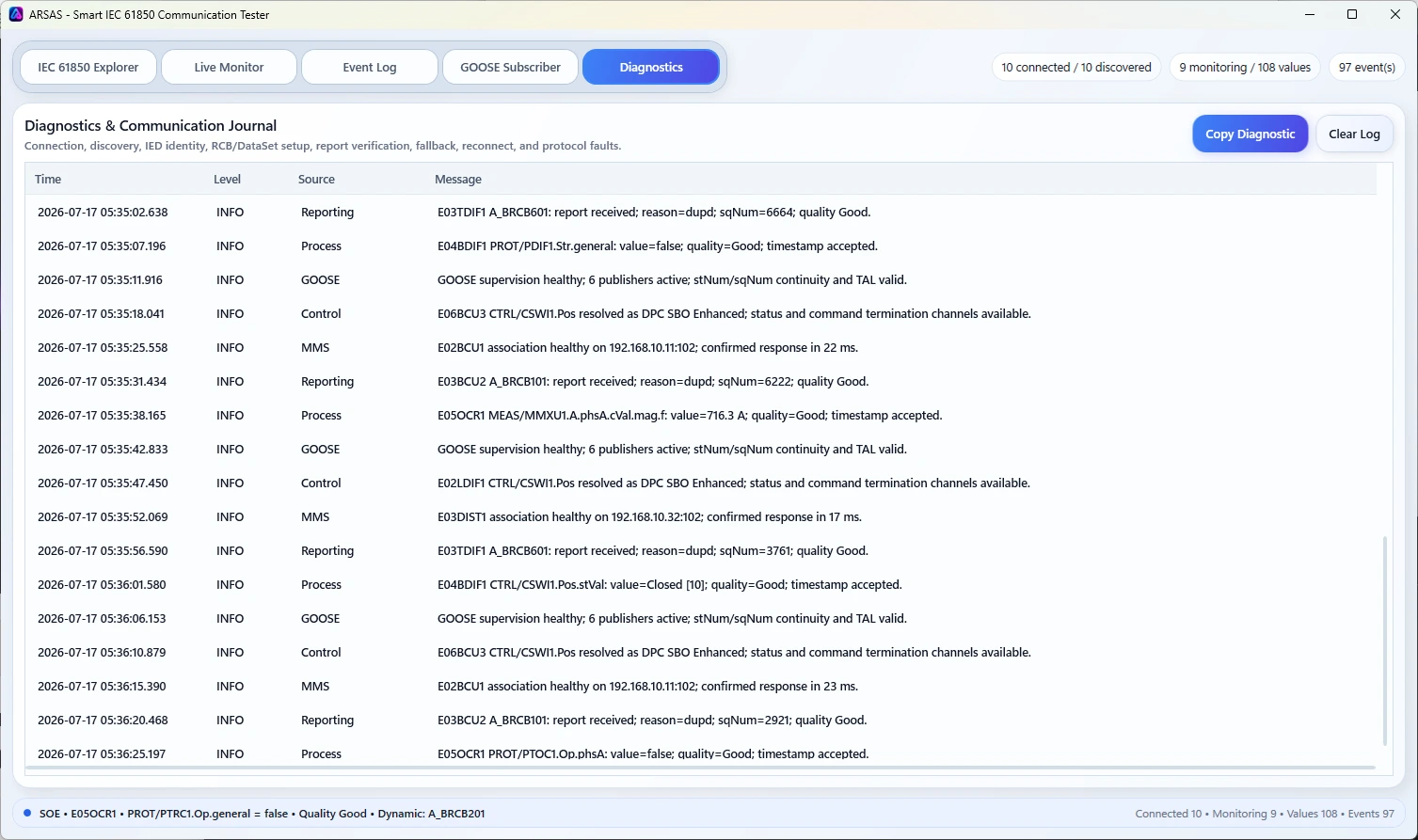
EvidenceAttributable service diagnostics
Separate association, service, relay-behavior and transfer problems instead of reducing every failure to a generic download error.
Protection and commissioning workflows
- Retrieve fault records after relay operation
- Collect disturbance evidence during FAT or SAT
- Compare record availability across multiple IEDs
- Preserve files for COMTRADE analysis tools
- Investigate missing or incomplete record sets
Downloaded files still require validation.
ARSAS does not prove that a record is complete, correctly scaled or suitable for protection analysis merely because transfer succeeded. Review the record set, time basis, channel definitions and relay configuration using approved engineering procedures.
Find the relay and its live model first.
Use the MMS client workspace to confirm endpoint identity and retain the correct IED context before browsing files.
Keep several relay sessions isolated.
Multi-IED project state helps prevent fault records and diagnostics from being mixed between devices.
Verified stable · ARSAS 1.6.41
Ready for an approved Windows workstation?
Installer and portable packages share the same application scope. Verify the published SHA-256 and review the release boundary before field use.
Release notes, limitations and signing status →