
Find another approved RCB or coordinate ownership.
Inspect all BRCBs and URCBs linked to the required DataSet. A different block may provide equivalent coverage without disturbing an existing SAS, gateway or engineering client.
Do not clear or overwrite it blindly. First identify whether the block is enabled, reserved, owned or simply not writable through the current association.
Inspect all BRCBs and URCBs linked to the required DataSet. A different block may provide equivalent coverage without disturbing an existing SAS, gateway or engineering client.
An RCB may be actively used, reserved by another association, left with stale-looking metadata, restricted by access policy or exposed differently between the SCL file and the running IED.
Group by DataSet coverage and buffered or unbuffered type before choosing a control block.
Capture reservation, owner, enable state and configuration revision with the current association.
Prefer a visibly unused approved block. Treat a rejected reservation or enable request as meaningful evidence.
Coordinate with the SAS or gateway owner rather than forcing a release during live system work.
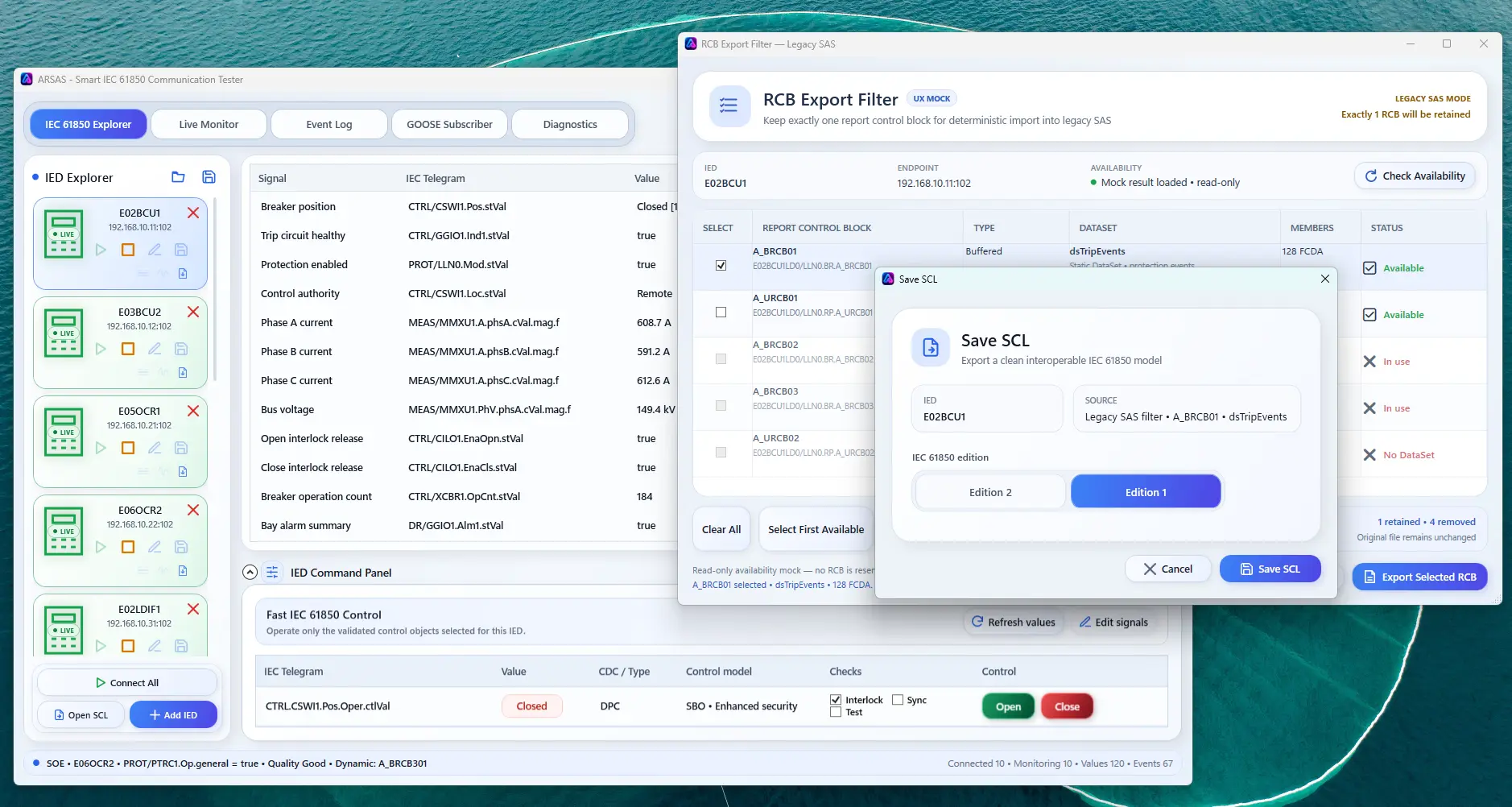
ARSAS exposes RCB inventory and lets the engineer choose a controlled selected-RCB export baseline.
Check silent reporting, BRCB versus URCB and empty DataSet behavior.
ARSAS can expose live model, report, GOOSE, file, control and diagnostic evidence. Final conclusions still depend on the approved project design, vendor documentation, test procedure, network access and independent verification.
Reviewed 20 July 2026 for practical IEC 61850 laboratory, FAT, SAT, commissioning and troubleshooting use.
Installer and portable packages share the same application scope. Verify the published SHA-256 and review the release boundary before field use.
Release notes, limitations and signing status →