Preserve the original file and capture the exact import error.
Do not begin by deleting arbitrary XML sections. Identify the parser location or rejected reference, then compare the intended communication and reporting path with live IED evidence.
First determine whether the failure is XML syntax, SCL structure, edition handling, vendor-private content, broken references or a mismatch between the file and the running IED.
Do not begin by deleting arbitrary XML sections. Identify the parser location or rejected reference, then compare the intended communication and reporting path with live IED evidence.
A file can be valid XML but unsuitable for a target configurator. It can also import successfully while representing an outdated relay model or reporting assignment.
Keep the original filename, edition, namespace, error message and reported location.
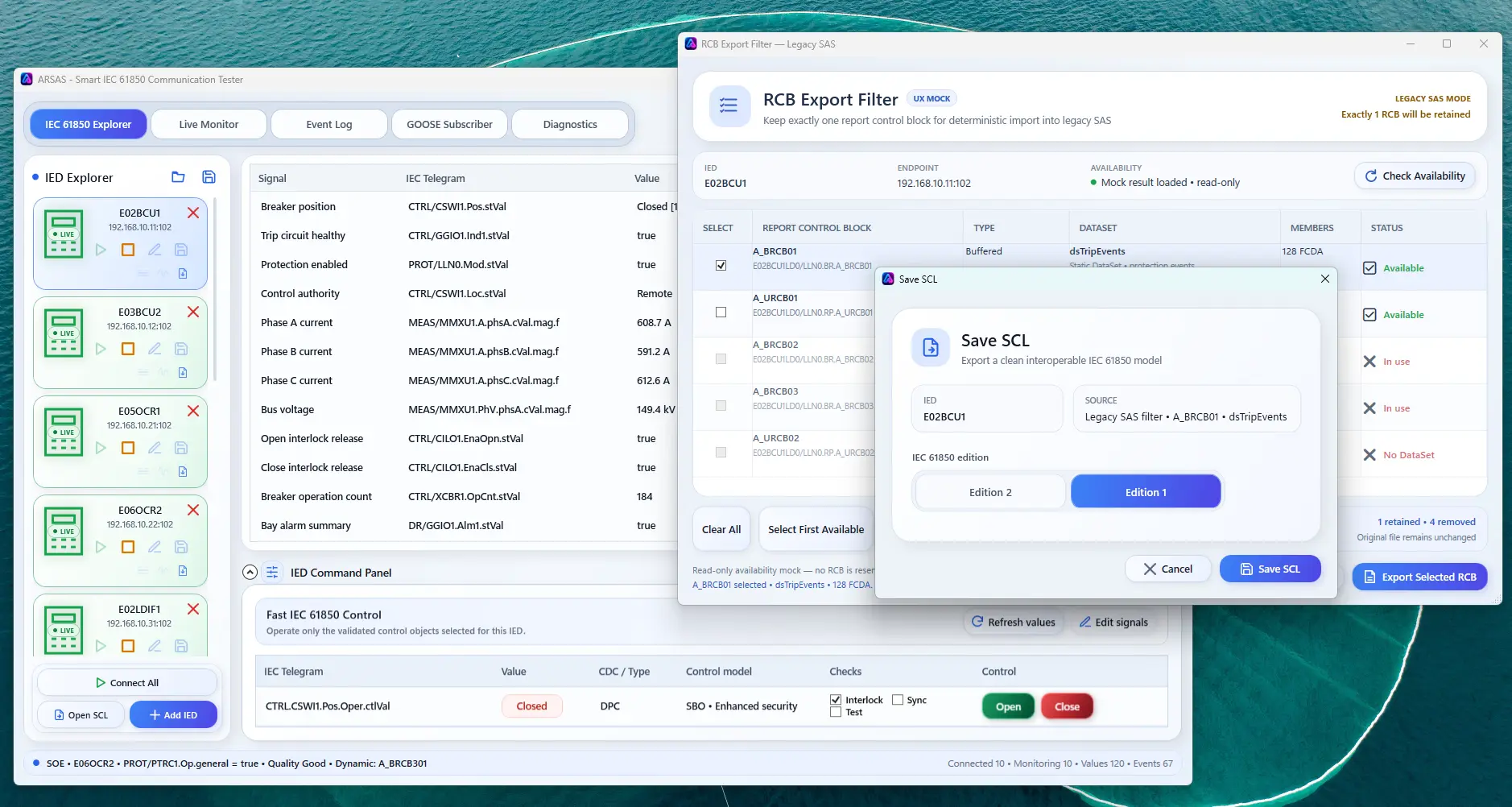
Trace IED, AccessPoint, server, Logical Device, DataSet, RCB and communication references without blind deletion.
Confirm endpoint, model, DataSet and RCB evidence currently exposed by the relay.
When appropriate, export only the selected reporting context and verified members required for the approved integration workflow.
Continue with live-model comparison or the multi-vendor integration workflow.
ARSAS can expose live model, report, GOOSE, file, control and diagnostic evidence. Final conclusions still depend on the approved project design, vendor documentation, test procedure, network access and independent verification.
Reviewed 20 July 2026 for practical IEC 61850 laboratory, FAT, SAT, commissioning and troubleshooting use.
Use the installer for a normal workstation, choose the portable ZIP for a controlled folder deployment, and verify the published SHA-256 before use.
What’s new, limitations and signing status →