
Precision parametric EQ
Add and shape filter bands directly on the graph, choose slopes, bypass individual points, and compare pre/post spectrum behavior.
Browser mastering · local DSP
ArSonKuPik brings a focused mastering chain to music, video, and live browser playback—without uploading your audio or requesting access to every website.
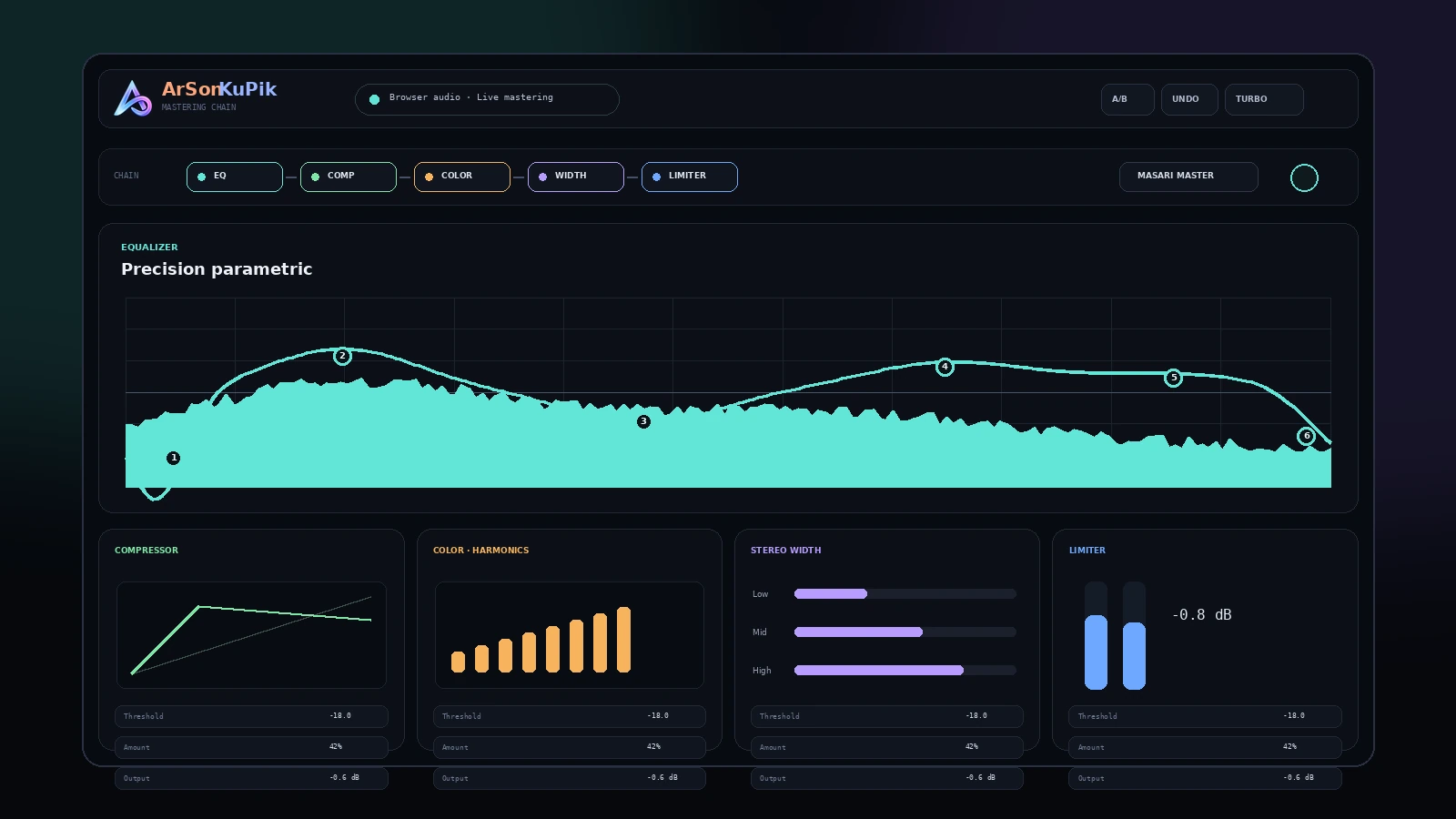 Studio interface · v0.3.113
Control without clutter
ArSonKuPik is designed for listeners who want more than a basic bass boost, but do not want a DAW inside every browser tab. The interface stays compact while exposing the controls that shape clarity, body, width, and output safety.
Add and shape filter bands directly on the graph, choose slopes, bypass individual points, and compare pre/post spectrum behavior.
Control density and punch with a visual compressor, linked gain reduction, practical timing, and presets tuned for listening.
Bring body, presence, and air forward without relying on a single broad loudness trick. Color modules can be bypassed independently.
Shape low, mid, and high width while watching correlation feedback and preserving a stable center image.
Manage gain, limiter protection, clipping feedback, and direct system-default playback from one consistent signal path.
Start from voiced master presets, tune each module, compare A/B states, undo changes, and save custom presets locally.
Signal flow
Each module can be enabled, bypassed, and preset independently. The master bypass makes an honest level-aware comparison possible without rebuilding the audio graph.
Clean unwanted energy and establish tonal balance.
Stabilize peaks and add controlled density.
Introduce harmonics, body, presence, and air.
Expand the stereo field by frequency region.
Protect final output and maintain headroom.
Privacy is architecture
The extension processes the tab you explicitly select. Its runtime has no host permissions, remote code, analytics SDK, account system, or cloud processing path.
Install and verify
GitHub releases contain a clean extension archive built from the tagged source. Developers can load the repository root directly and run the included validator before packaging.
Best for testing the current source or reviewing a pull request.
chrome://extensions.No production dependency or bundler is required.
Common questions
No. The extension is designed to process the selected tab locally through Chrome's tab-capture and Web Audio APIs. The runtime contains no cloud audio transport.
Chrome must provide the selected tab's audio stream before an extension can process it. Capture begins only after a user action.
The current workflow is intentionally centered on one user-selected source tab so status and control remain clear.
No. ArSonKuPik is a real-time listening enhancer for browser playback, not an offline mastering and delivery environment.
They are stored locally in Chrome extension storage for the current browser profile.
Start from a release, inspect the source, and tune the chain around your own system.