
IEC 61850 and MMS
Understand IEDs, logical nodes, data objects, data attributes, function constraints, SCL files, and why MMS commonly uses TCP port 102.
IEC 61850 MMS · Modbus TCP · MQTT
ARServer is a Windows engineering gateway and information center for turning selected IEC 61850 IED values into practical Modbus TCP maps and MQTT topics for HMI, SCADA, DCS, FAT, relay bench, dashboard, and substation automation workflows.
Associated · runtime cache healthy
Learning center
Use ARServer as a product and as a learning map. The goal is to make protocol relationships clear before users start mapping real values.
Understand IEDs, logical nodes, data objects, data attributes, function constraints, SCL files, and why MMS commonly uses TCP port 102.
Learn why classic DCS, HMI, and SCADA tools prefer stable register maps, status bits, input registers, and deterministic address planning.
Learn how topic names, JSON payloads, quality, timestamps, and broker routing make relay data usable for dashboards and middleware.
Use case center
ARServer can be used as an HMI/SCADA bridge, a FAT/SAT visibility layer, or an MQTT publishing route. Each use case explains what to map, what to validate, and what to avoid.
Zero to running
The documentation path is designed for a first-time user: install, add source, select signals, validate, map, publish, and troubleshoot.
Run ARServer on Windows and understand what the workspace shows before starting runtime.
Start from live relay IP over MMS port 102 or from SCL/CID/SCD/ICD/IID engineering files.
Select SCADA-friendly points, probe readability, and keep value, quality, timestamp, and stale status visible.
Expose stable Modbus TCP points and optional MQTT topics for HMI, SCADA, dashboards, or test tools.
Architecture
ARServer sits between IEC 61850 IEDs and practical consuming systems. It keeps the relay read path controlled, then exposes selected values to classic control systems through Modbus TCP and modern data workflows through MQTT.
Product screenshots
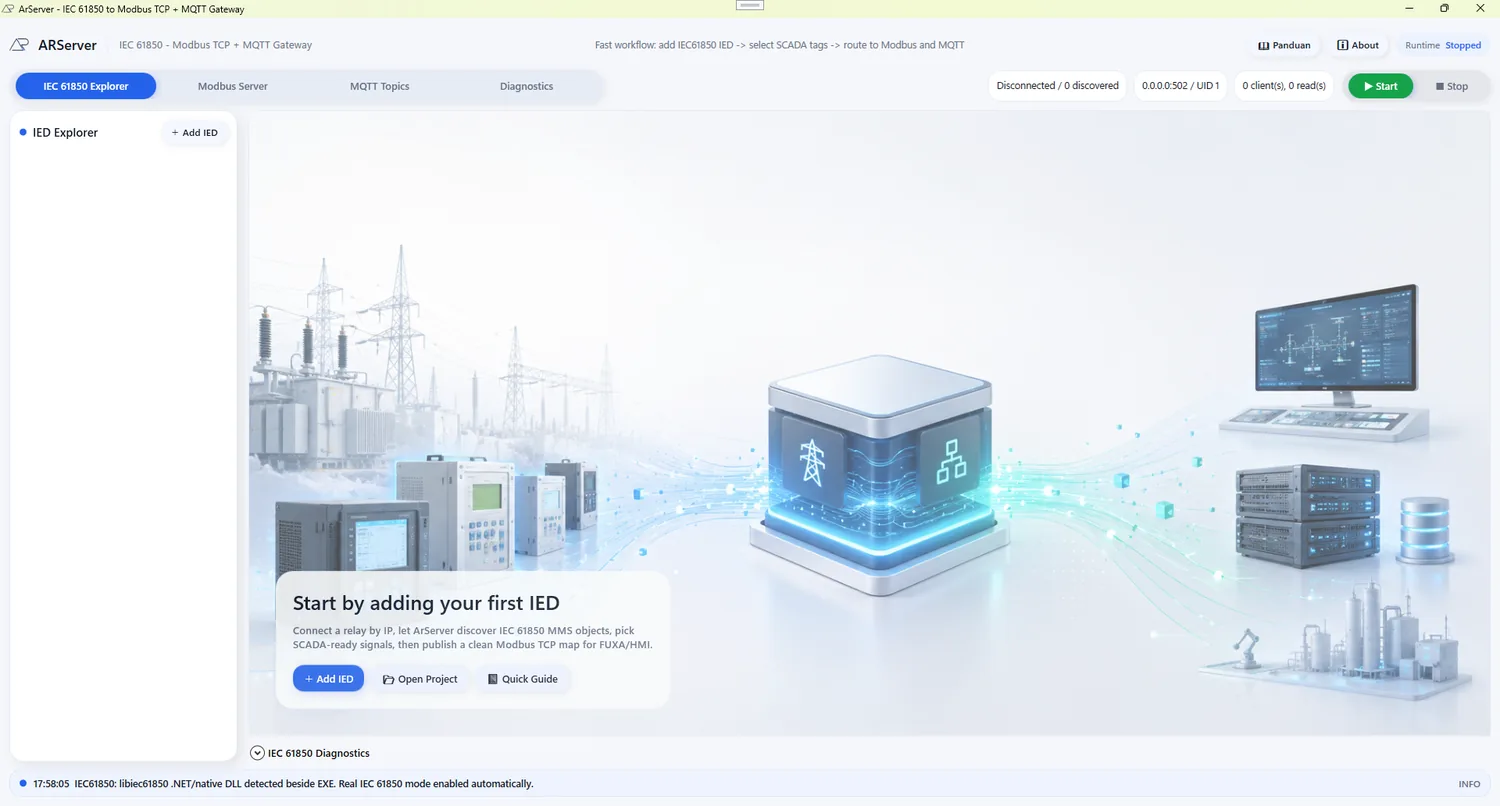
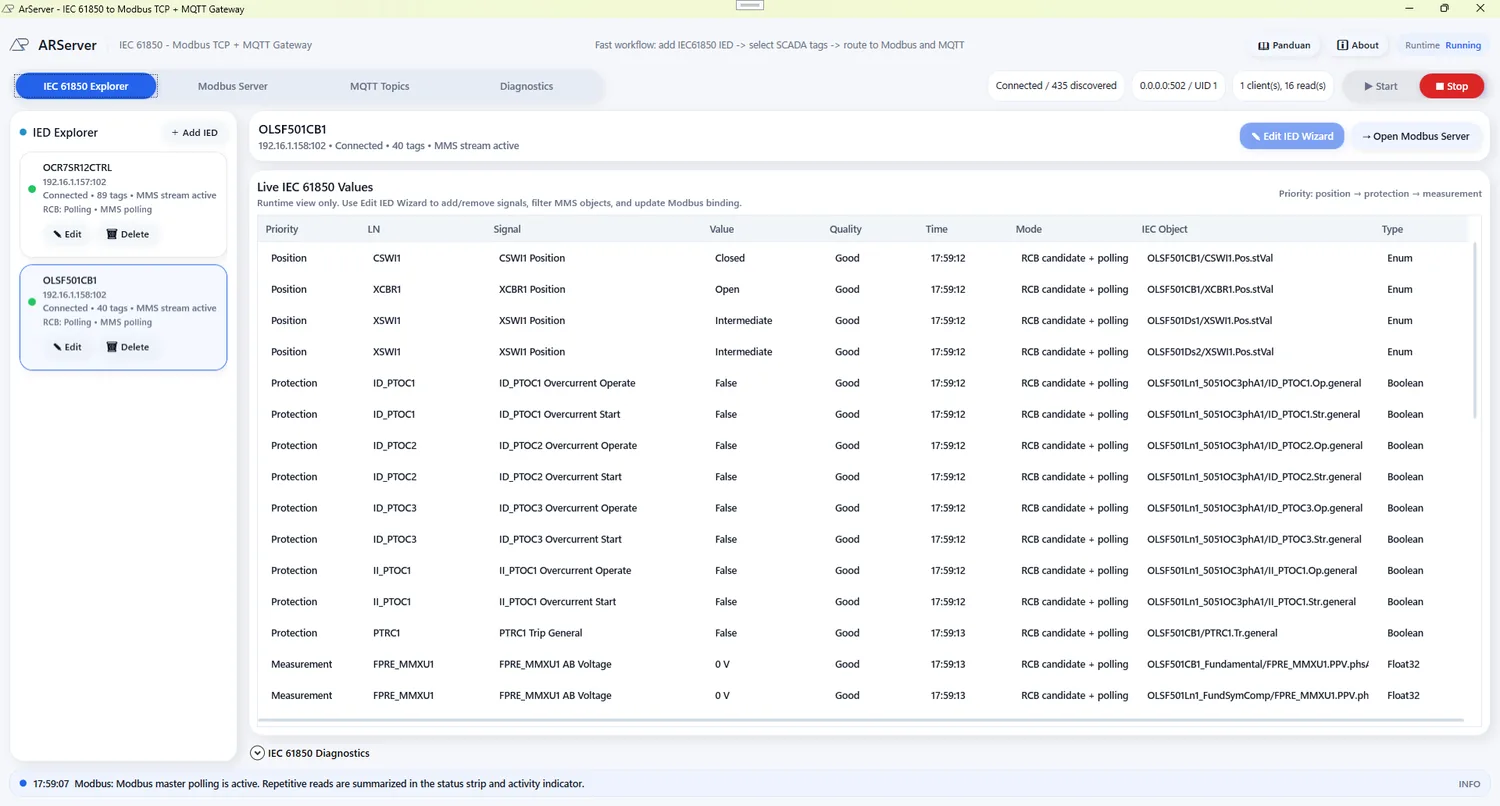
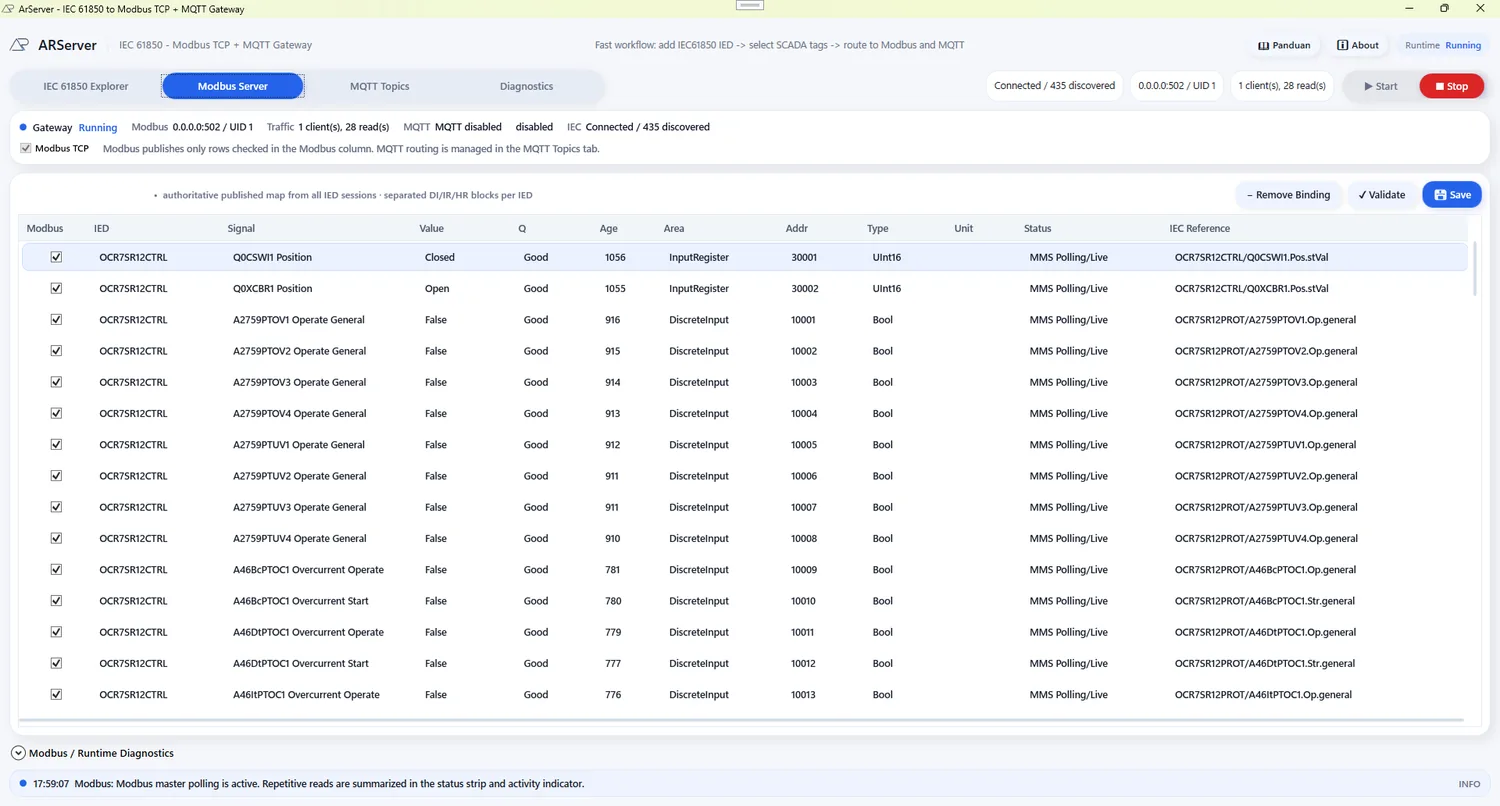
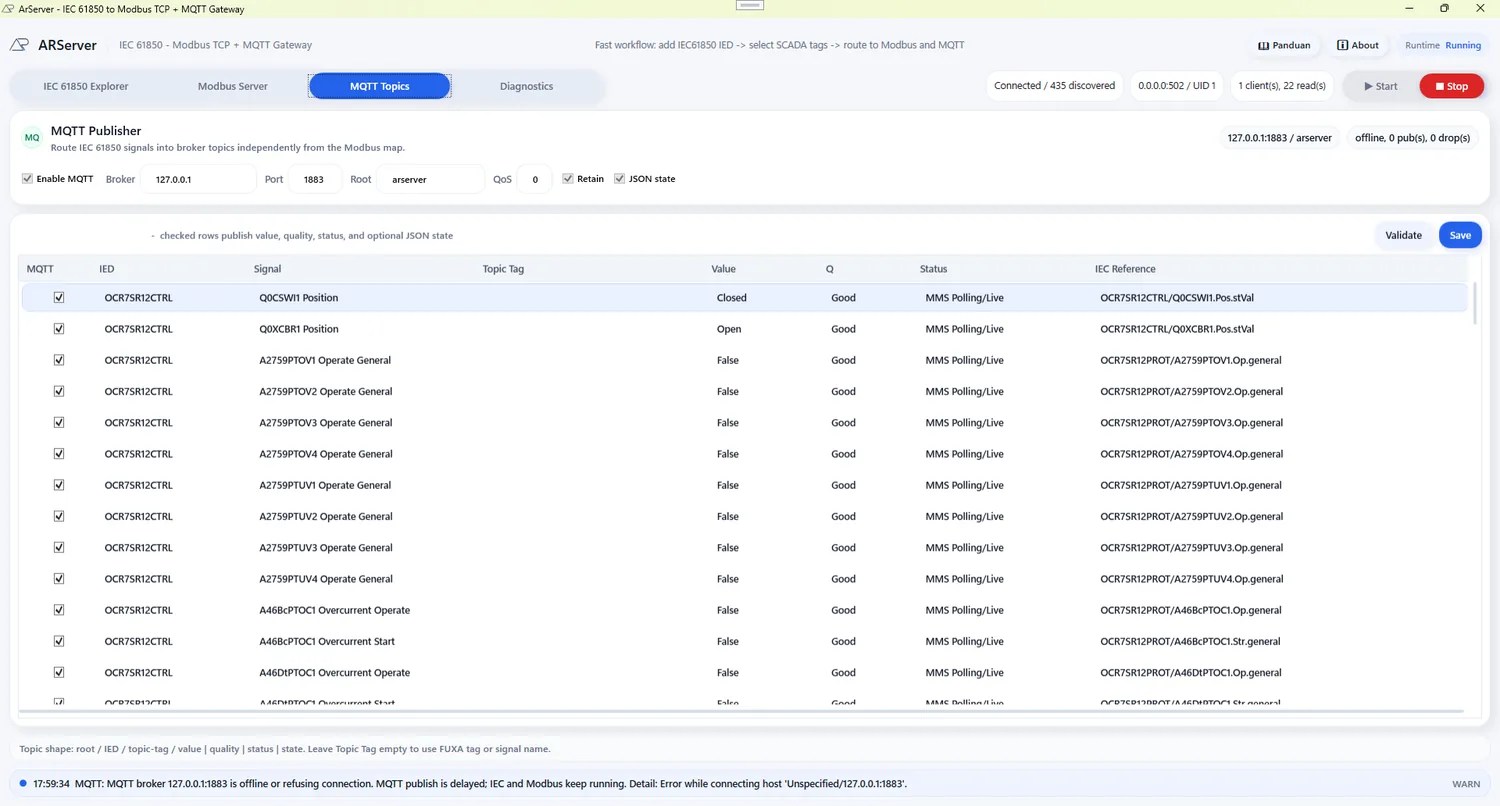
Screenshots help new users understand the start workspace, live IEC values, Modbus server map, and MQTT topic routing before installing.
Product docs
Open the Markdown preview pages when you need clean reading without raw Markdown syntax.
FAQ
Start small, validate clearly